





The new AMD Radeon RX 9000 cards with RDNA4 architecture bring higher performance and a suite of technologies to make gaming more enjoyable and improve responsiveness. We’ll focus on the technologies available to gamers and what stands behind names like Anti-Lag 2 or FidelityFX Super Resolution (FSR4). The videos show how Anti-Lag reduces latency and how FSR4 boosts frame rates with demanding detail settings.
Disclaimer: This article was made possible thanks to financial support from AMD and Gigabyte. The text reflects the author’s own opinions and is based on our independent testing and measurements. The sponsors had no influence over the content.
In our standard GPU reviews, we have rarely enough time to dive deep into the various technologies that manufacturers build into graphics cards. Each new generation brings fresh features, while older ones are continuously refined. Many of these technologies already exist across several iterations. Some are gradually forgotten as more advanced innovations become available. I’d like to cover at least the most commonly used ones in more depth over time.
Today, we’ll take a closer look at some of the new technologies aimed at gamers, introduced with the latest generation of Radeons based on the RDNA4 architecture. For upcoming games, the improvements are significant enough to make the RX 9000 series a tempting choice over the remaining stock of RX 7000 cards.
Key changes and innovations introduced with the new Radeon RX 9000 series featuring RDNA4 include:
- Unified Compute Units in AMD RDNA 4 – Enhanced compute units offer up to 40% higher gaming performance compared to the RDNA 3 architecture of the previous generation.
- Improved Ray Tracing Accelerators (3rd generation) – Upgraded compute units delivering over twice the ray tracing performance per unit enable more realistic lighting, shadows, and reflections.
- Significantly Faster AI Acceleration (2nd generation accelerators) – The improved 2nd-gen AI accelerators process modern artificial intelligence models substantially faster than RDNA 3. Thanks to expanded compute units, support for efficient data formats like FP8, and optimizations for structured sparsity, performance in AI computations is up to 8× higher per unit.
- HYPR-RX Toolset – Enables users to activate a selected performance or quality preset in AMD Software with a single click. It auto-configures tools like Super Resolution, Fluid Motion Frames 2.1, Anti-Lag, and Boost, depending on hardware capabilities and gamer preferences.
- Enhanced Software with AI Support – The new AMD Software: Adrenalin Edition includes: Software Manager for driver and AI software management, AMD Chat for searching information and generating text or images, App Portal providing access to AI applications from partners, and AMD Image Inspector using AI to analyze and enhance image quality.
- Support for New Monitor Generations – The AMD Radiance Display Engine supports the latest DisplayPort 2.1a and HDMI 2.1b standards, allowing resolutions and refresh rates up to 8K at 144Hz, 12-bit HDR, and REC2020 color gamut. Combined with AMD FreeSync, it enables tear-free gaming on more than 4,000 compatible monitors, including models with 4K at 240Hz and 8K at 144Hz over DisplayPort 2.1.
- AMD FidelityFX Super Resolution 4 (FSR 4) – The latest upscaling generation powered by machine learning enhances fluidity and image sharpness during gameplay, making it possible to play even in 4K resolution with ray tracing maxed out. FSR 4 can also be forced on via drivers in many older games. The list of currently supported titles is available on AMD’s community site, now featuring nearly seventy titles with more being added regularly.
Today’s article is more of a first look at AMD’s technologies — I’d like to dive deeper into each of them down the line.
Radeon RX 9060 XT: The Most Affordable Addition to the New Radeon Family
For testing and comparison, we’re using the budget-friendly Radeon RX 9060 XT Gaming OC 16G from Gigabyte, which I recently reviewed on HWCooling.
To remind you of the key specifications of the card:
- GPU: Radeon RX 9060 XT (RDNA 4), 2048 stream processors
- Clock speeds: Boost Clock up to 3320 MHz, Game Clock up to 2780 MHz (ref. 3130 / 2530 MHz)
- VRAM: 16 GB GDDR6, 128-bit bus, memory speed 20 Gb/s
- Connectors: PCIe 5.0 ×16, power via 1× 8-pin
- Outputs: 2× DisplayPort 2.1a, 1× HDMI 2.1b, max resolution 7680 × 4320 (8K)
- Card dimensions: 281 × 118 × 40 mm
- ARGB lighting with 16.7 million colors, customizable via Gigabyte Control Center
- WINDFORCE cooling system featuring Screen Cooling (heatsink with open fin layout), three counter-rotating Hawk fans, composite heatpipes, copper base, thermal gel component cooling, and a metal backplate
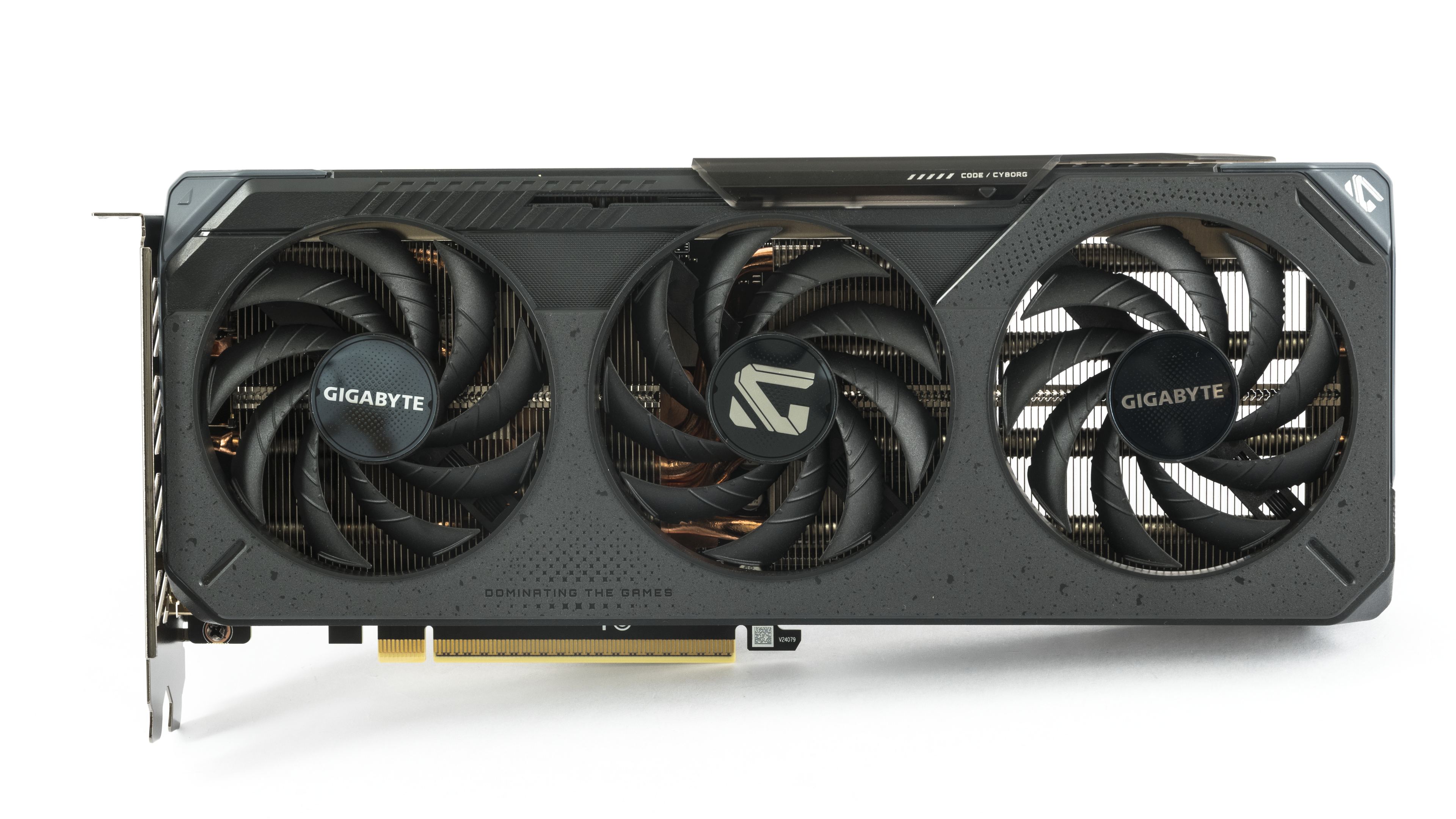
You can find a more detailed description of the card in the review and on the Gigabyte product page.
We’ll demonstrate how one of AMD’s technologies, Anti-Lag, works in practice using a top-tier gaming monitor, the AORUS FO27Q3, also from Gigabyte. It uses a QD-OLED panel developed by Samsung. With a resolution of 2560 × 1440 pixels, it offers a 360 Hz refresh rate and is certified with VESA ClearMR 13000 and VESA DisplayHDR True Black 400. For gamers, the major advantage over LCD monitors is that OLED can redraw pixels with significantly faster response times.

The basic monitor specifications are summarized in bullet form below. For a detailed description and demonstrations of supported technologies, visit the monitor’s product page.
- Panel type: 27″ QD-OLED, resolution 2560×1440 at 360 Hz, 10-bit
- Adaptive v-sync: FreeSync Premium, VRR
- Image parameters: viewing angles 178°, brightness 250 cd/m² (Typ, SDR APL 100%); 1000 nits (Typ, HDR APL 3%), 99% DCI-P3 color space coverage, GTG response 0.03 ms, factory calibration with △E< 2
- Certifications: VESA DisplayHDR True Black 400, motion clarity ClearMR 13000
- Connectors: 2× HDMI 2.1, 1× DisplayPort 1.4, 1× USB Type-C (Alternate Mode; Upstream port; Power Delivery up to 18 W), 2× USB 3.2 Downstream, 1× USB 3.2 Upstream, audio jack 1× headphones, 1× microphone
- Audio: 2× 5 W speakers
- Supported technologies: Tactical Switch, OSD Sidekick, Black Equalizer 2.0, Dashboard, Crosshair, Timer, Counter, Night Vision, Eagle Eye, PiP/PbP, Auto-Update, KVM, 6 axis Color Control, Apply Picture Mode, HDMI-CEC, RGB Fusion 2.0, pivot 0–90°, VESA Wall Mount 100×100 mm
How to Quickly Find What You’re Looking for in the Drivers
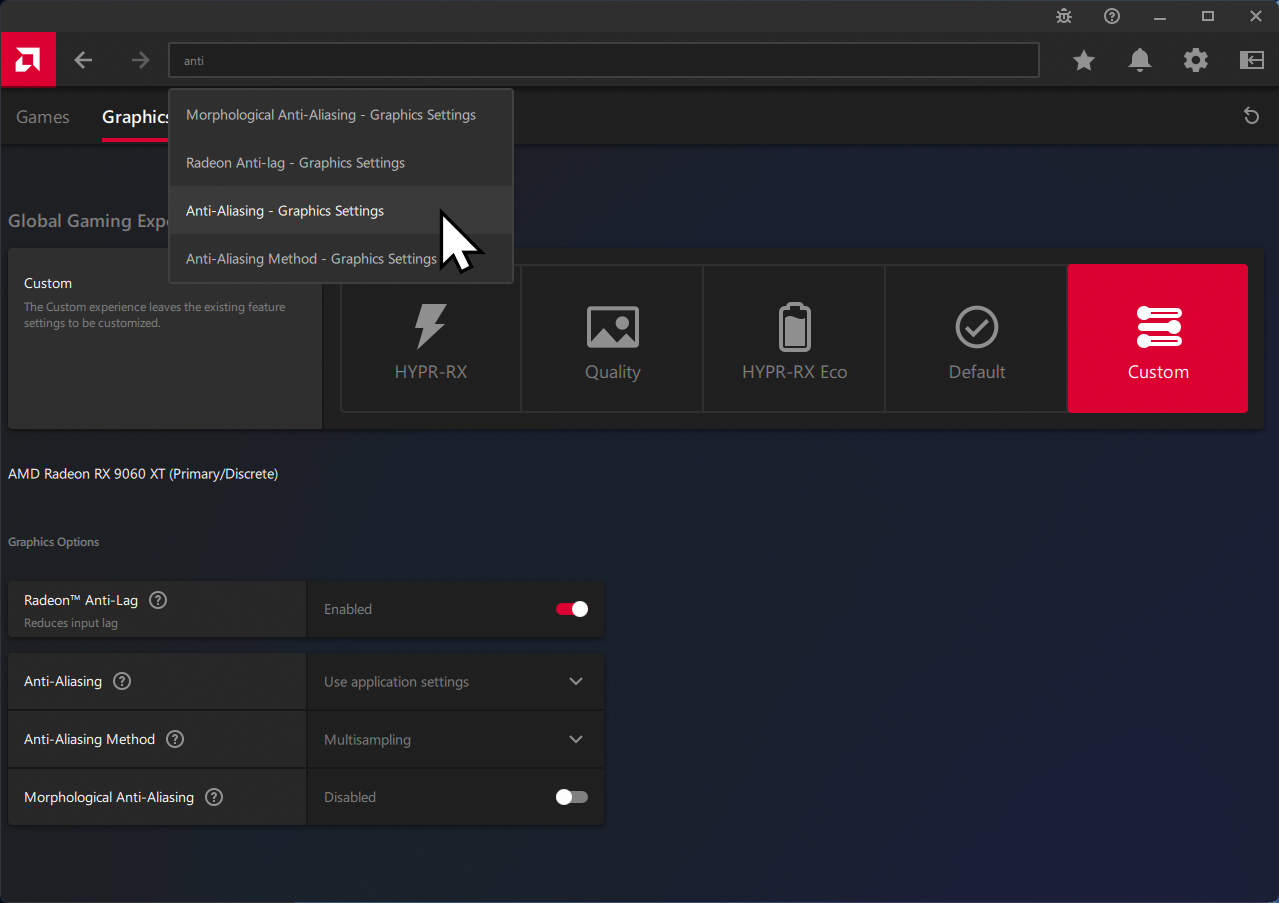
AMD Software offers many configurable features. And although AMD tries to organize them thematically, it’s often not easy to remember where a specific setting is located. Occasionally, even the location of individual items changes. General graphics driver settings for games can be found under the Gaming > Graphics section.

The features from AMD Software that we’ll focus on can usually be found fastest via the search box, which appears after clicking the magnifying glass in the top right corner of the AMD software. Below is an example of searching for the Anti-Lag feature, which otherwise requires navigating through the main Gaming tab and the Graphics submenu.
In the next chapter, we’ll introduce the rest of the hardware used in the tests and get started.



Some issues with your photos, the second photo from the first comparison doesn’t open at 1440p for me, the one with the arches seem to open the same fsr 3 photo for both of them. I stopped there.
Sorry about that — the thumbnails opened the correct images, but some text hyperlinks pointed to the wrong links. This should be fixed now. Thank you for letting me know.
FSR4 is a big improvement indeed, but, I own a 6800XT and whilst I will see an increase in framerates with the new cards I am afraid that comparing the price of the cards with a 20-30fps increase doesn’t add up for me especially when their new unified architecture is set to hit next year.