





The new AMD Radeon RX 9000 cards with RDNA4 architecture bring higher performance and a suite of technologies to make gaming more enjoyable and improve responsiveness. We’ll focus on the technologies available to gamers and what stands behind names like Anti-Lag 2 or FidelityFX Super Resolution (FSR4). The videos show how Anti-Lag reduces latency and how FSR boosts frame rates with demanding detail settings.
Anti-Lag 2 in practice
In games with integrated Anti-Lag 2, you can also take advantage of the fact that drivers supporting Anti-Lag 2 include a built-in Anti-Lag 2 Latency Monitor. You can display current latency values using the keyboard shortcut Alt+Shift+L. The overlay will appear in the top-left corner of the screen. Pressing the shortcut repeatedly cycles through the various OSD display modes.
It can show up to three values – listed from top to bottom:
- Frame rate (FPS, yellow)
- Latency (in milliseconds, white)
- Latency in GPU frames (in frames, green)

Under normal circumstances, latency values should be displayed in white and green. If the color is gray or light gray, it indicates a problem. Dark gray means there are integration issues, while light gray signifies that the measurement is not yet calibrated – this should resolve itself within a second or two.
By holding down the right Control key, you can temporarily deactivate Anti-Lag 2 and display the game’s native latency without Anti-Lag 2 enabled.
Anti-Lag 2 and Horizon Zero Dawn Remastered
Anti-Lag 2 is currently supported in twenty games. An up-to-date list is available on AMD’s community pages. One of the supported titles available to us was Horizon Zero Dawn Remastered, where Input-Lag 2 can be enabled in the Display settings. Testing was conducted with graphics settings at Very High and FSR in Native AA mode.
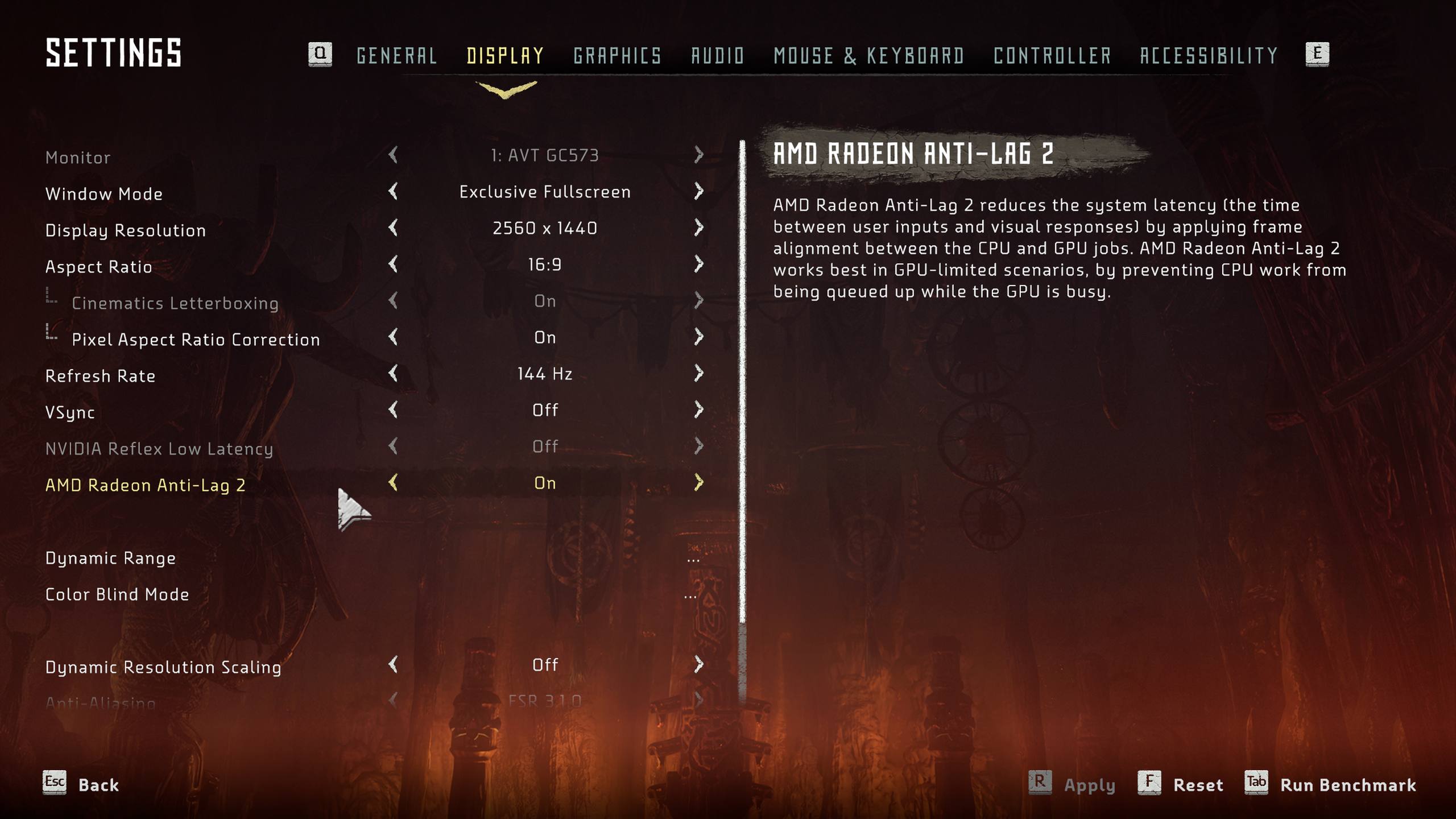
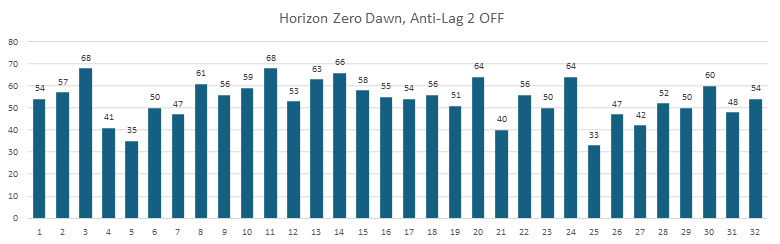
Once again, we begin by looking at a chart with the individual latency measurements. At 2560 × 1440 resolution with Anti-Lag 2 disabled, the average input latency is 53.5 ms. With Anti-Lag 2 enabled, the average latency drops to 41.2 ms.

Summary
Today, we took a closer look at the innovations in RDNA4 – especially the key technologies that can significantly impact playability in graphically demanding games. We compared the features of various generations of FSR upscaling and examined how Anti-Lag and Anti-Lag 2 work and differ, including practical demonstrations of their impact on latency.
Disclaimer: This article was made possible thanks to financial support from AMD and Gigabyte. The text reflects the author’s own opinions and is based on our independent testing and measurements. The sponsors had no influence over the content.




Some issues with your photos, the second photo from the first comparison doesn’t open at 1440p for me, the one with the arches seem to open the same fsr 3 photo for both of them. I stopped there.
Sorry about that — the thumbnails opened the correct images, but some text hyperlinks pointed to the wrong links. This should be fixed now. Thank you for letting me know.
FSR4 is a big improvement indeed, but, I own a 6800XT and whilst I will see an increase in framerates with the new cards I am afraid that comparing the price of the cards with a 20-30fps increase doesn’t add up for me especially when their new unified architecture is set to hit next year.