


We don’t typically disassemble graphics cards in our reviews—and for good reason. Once you take one apart, it’s hard to get it to behave exactly like it did in its original state, especially after replacing the factory thermal paste. With manufacturers who don’t skimp on thermal paste, repasting may not bring any improvement at all. In detailed measurements, we’ll look at how different paste and mounting pressure affect the card’s behavior.
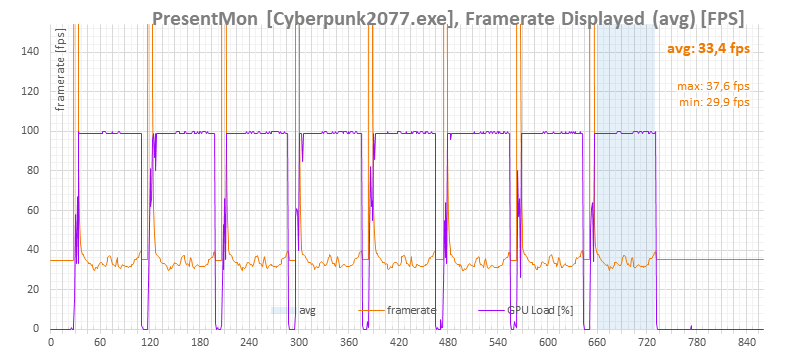
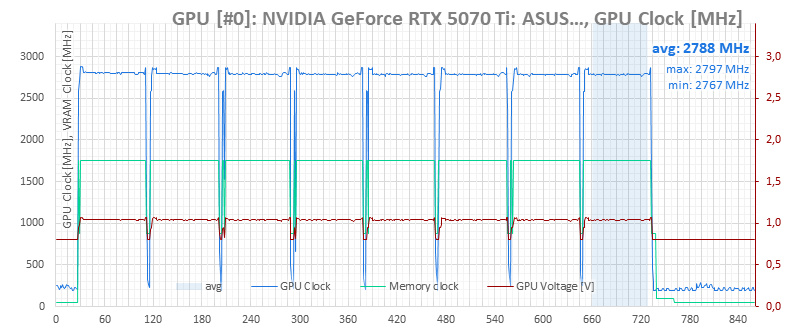
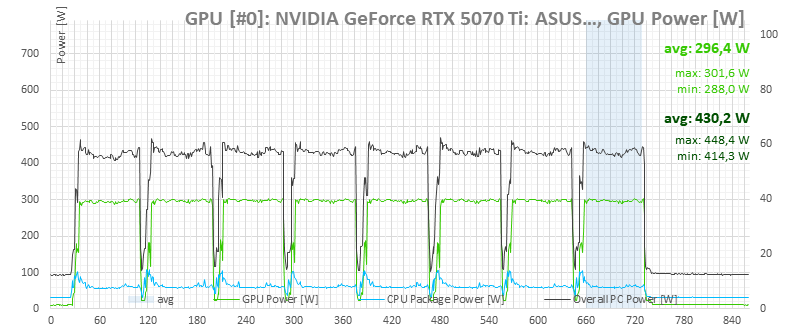
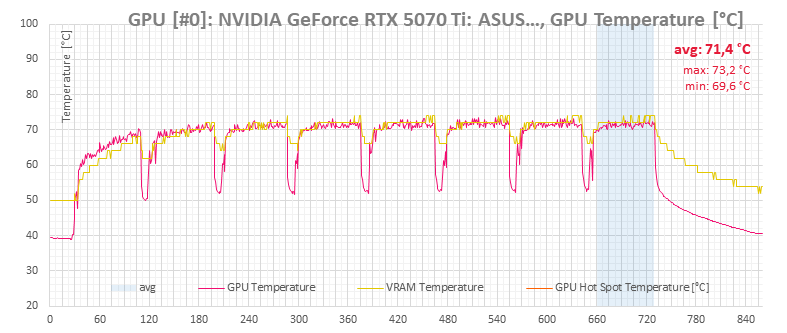
Cyberpunk 2077, RT Medium, 3840 × 2160 (Q mode)
Disassembled card with Arctic MX4 paste
Paradoxically, the average GPU clock was again slightly higher—minimum 2775 MHz, maximum 2805 MHz. But once more, it must be stressed—this is a different sample, and the results may reflect typical chip-to-chip variation.
The card stuck close to its 300 W power limit.
The warmed-up chip’s temperature in maximums dropped by 1 °C—to 73.2 °C. Memory stayed at 74 °C—same as the non-disassembled card.
Fan speeds were about 100 RPM lower—at 1380 RPM instead of 1477 RPM. Still higher, however, than the 1226 RPM of the untouched card with the original pad.
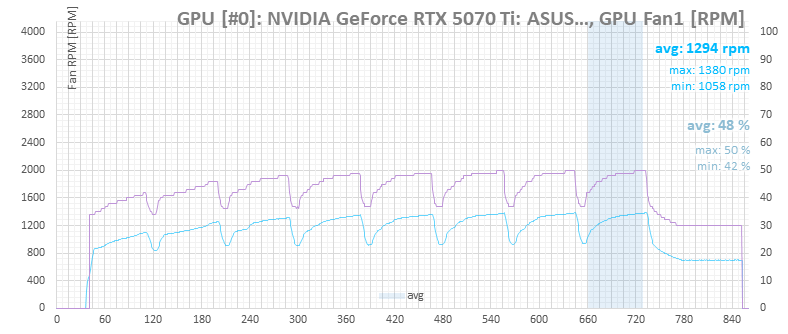
Clocks, Temperatures & Fan Speeds—F1 24, 3840 × 2160 (Q mode)
Disassembled card with Arctic MX4 paste
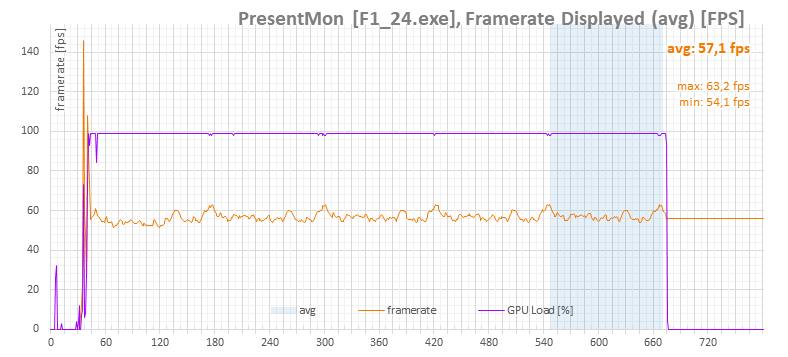
The average GPU clock slightly rose from 2747 MHz to 2756 MHz.
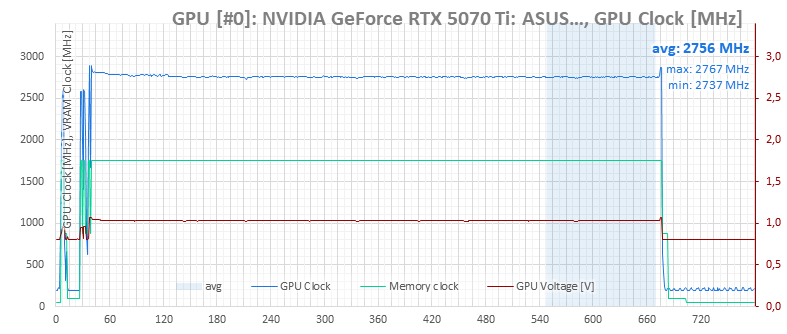
Power consumption again remained close to 300 W.
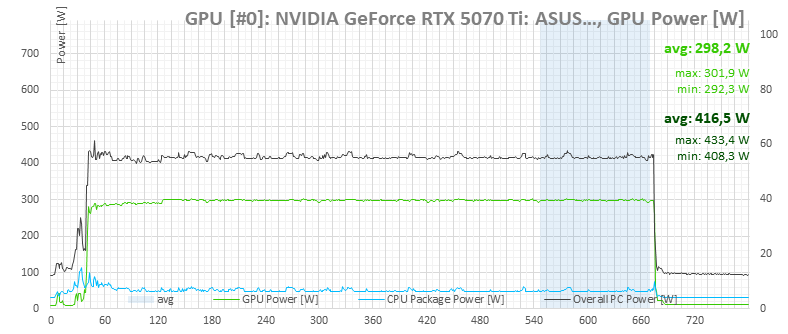
The average monitored chip temperature in maximums dropped by another degree—down to 72.4 °C from 73.4 °C. The card with the original pad had 70.8 °C. Memory temperatures hovered around 72 °C for most of the time.

Fan speeds on the original pad card maxed out around 1330 RPM. With a thicker layer of paste, they went up to 1606 RPM. With Arctic MX4 paste, the fans reached 1483 RPM.

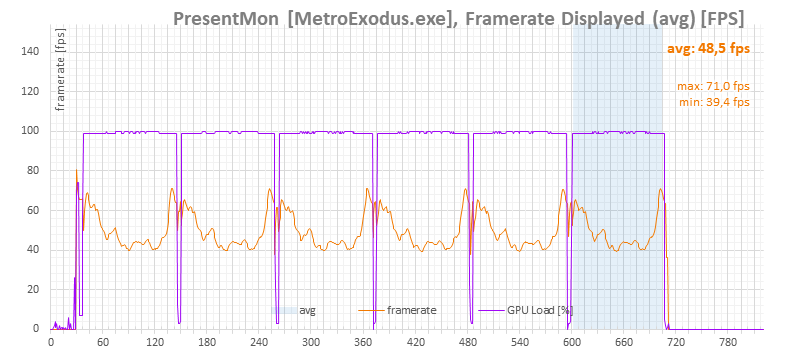
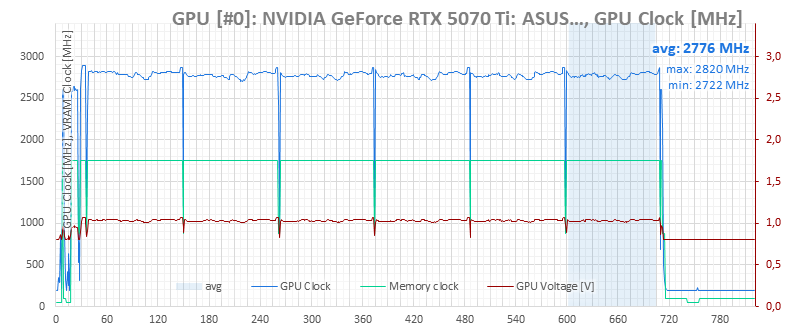
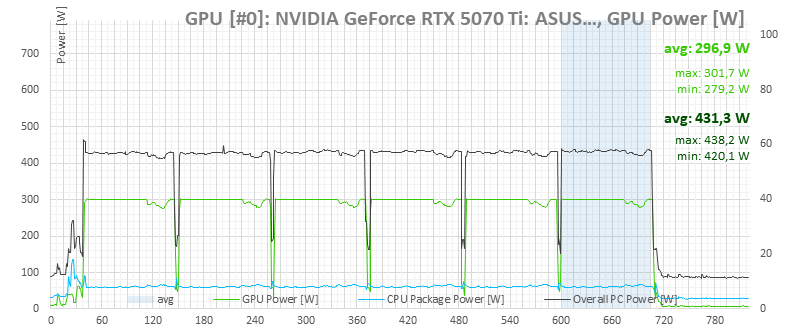
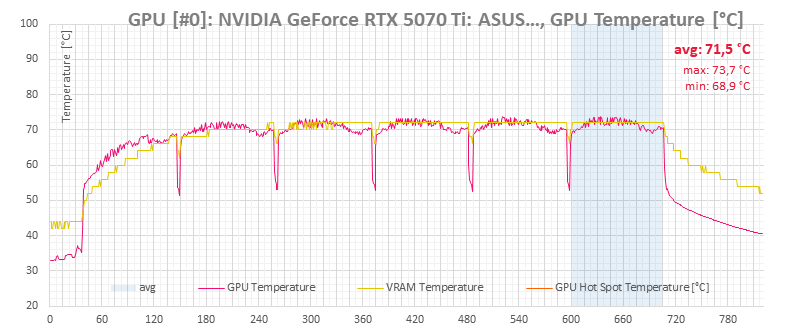
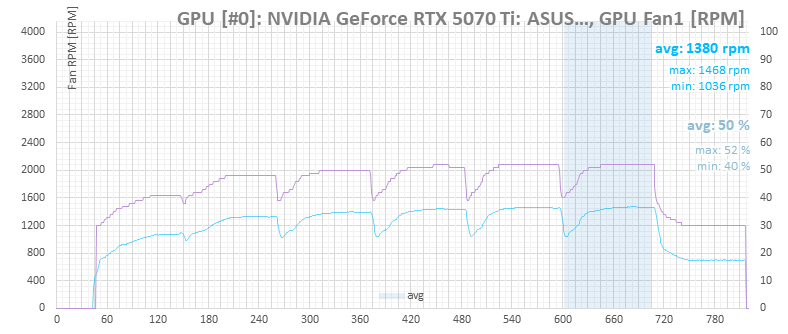
Clocks, Temperatures & Fan Speeds—Metro Exodus Enhanced Edition, 3840 × 2160 (Q mode)
Disassembled card with Arctic MX4 paste
Again, average clocks were about 10 MHz higher—the repasted card averaged 2764 MHz.
The card mostly stayed at the power limit throughout testing.
The GPU reached a maximum of 73.7 °C—compared to 72.2 °C on the untouched card, and 74.8 °C on the repasted one with a thicker paste layer.
Fan speeds maxed out at 1468 RPM—better than 1577 RPM, but still not as good as the 1330 RPM peak of the non-disassembled card.
⠀


Very interesting article. I believe more and more manufacturers have moved to using quality thermal interfaces, so your results (slightly worse than stock after repasting) isn’t that surprising.
Based on what I know, a popular material they use are phase-change thermal pads like the Honeywell PTM7950, which performs excellently on low mounting pressure/direct die applications, and are very resistant to the pump-out effect which causes deterioration of performance long-term. Regular thermal paste meant for CPUs can suffer from pump-out pretty quickly.
Didn’t Asus use phase change material? Why did your card have paste on it?
Sure. I received two units of the same graphics card for review. One had already been disassembled by a YouTuber, who replaced the original phase-change thermal pad with thermal paste. That card performed worse than expected—and worse than the unit that still had the original thermal pad—so I tried to fix it by reapplying thermal paste.
It is better now but still doesn’t match the other unit’s operating performance, but I’m not sure how much of that comes down to the silicon lottery.