


We don’t typically disassemble graphics cards in our reviews—and for good reason. Once you take one apart, it’s hard to get it to behave exactly like it did in its original state, especially after replacing the factory thermal paste. With manufacturers who don’t skimp on thermal paste, repasting may not bring any improvement at all. In detailed measurements, we’ll look at how different paste and mounting pressure affect the card’s behavior.
A temperature increase of around 2 °C may not seem dramatic. You might even consider it trivial—but when fan speeds jump from 1226 RPM to somewhere around 1477 RPM, it translates to a measured noise increase of about 3–4 dBA. That essentially means I’m measuring values around 37 dBA instead of 33 dBA. For a fairly quiet and premium card like the TUF, that result bings it down to the noise level of cards with a cooler that’s a full slot thinner—and could cost 150 euros less.
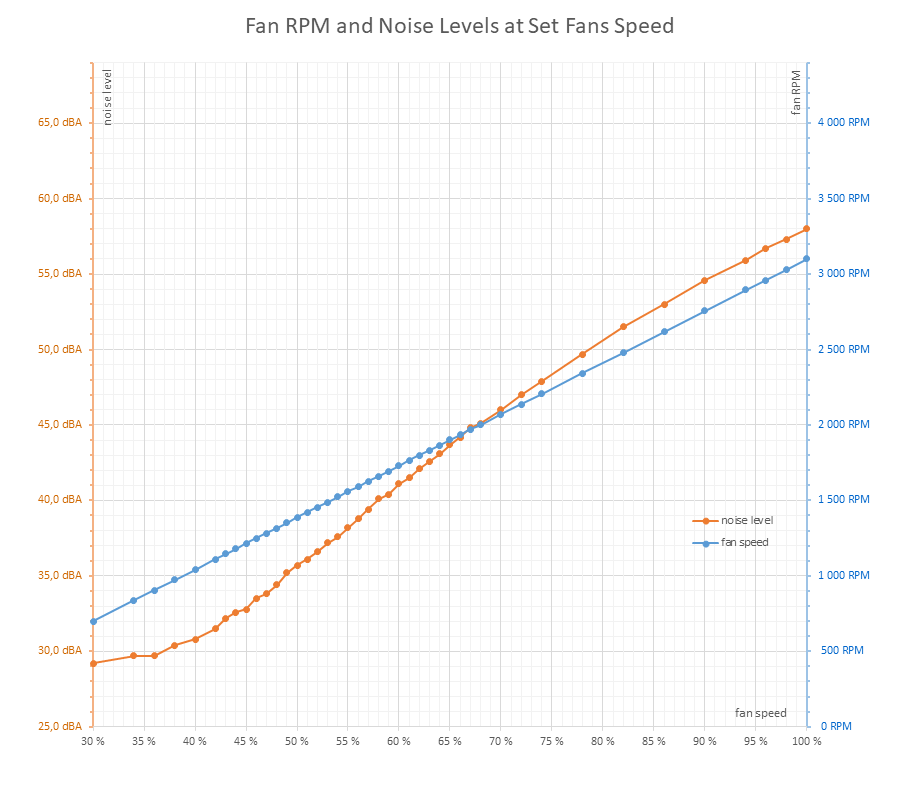
So far, I’ve done only one attempt. A direct comparison with the factory-applied paste would make the most sense—but that was already removed from this sample, and I’m not going to ruin the second unit from Asus just for this. So all we have is a comparison between two different cards. Despite using the more basic Arctic MX4 paste—which is considered slightly above average these days—the results were better than with the paste previously applied (which, assuming nobody else had messed with the card between the earlier test and mine, should have been of higher quality).
I was slightly disappointed that the results weren’t noticeably better than the other sample using the original thermal pad. In the past, even with cheaper thermal pastes, I had managed to bring down temps by a few degrees compared to the factory application. But it seems manufacturers have learned their lesson—cutting costs on thermal paste no longer pays off.
The upside is that the operating characteristics were much closer to those of the second unit. And since things went so well, I took the cooler off again to inspect the result. The paste placement on the die was pretty accurate, and there was far less overflow compared to the previous installation. Still, it seems the layer could have been half as thick. The paste appears to have a higher viscosity, so it holds to the base and chip surface better.
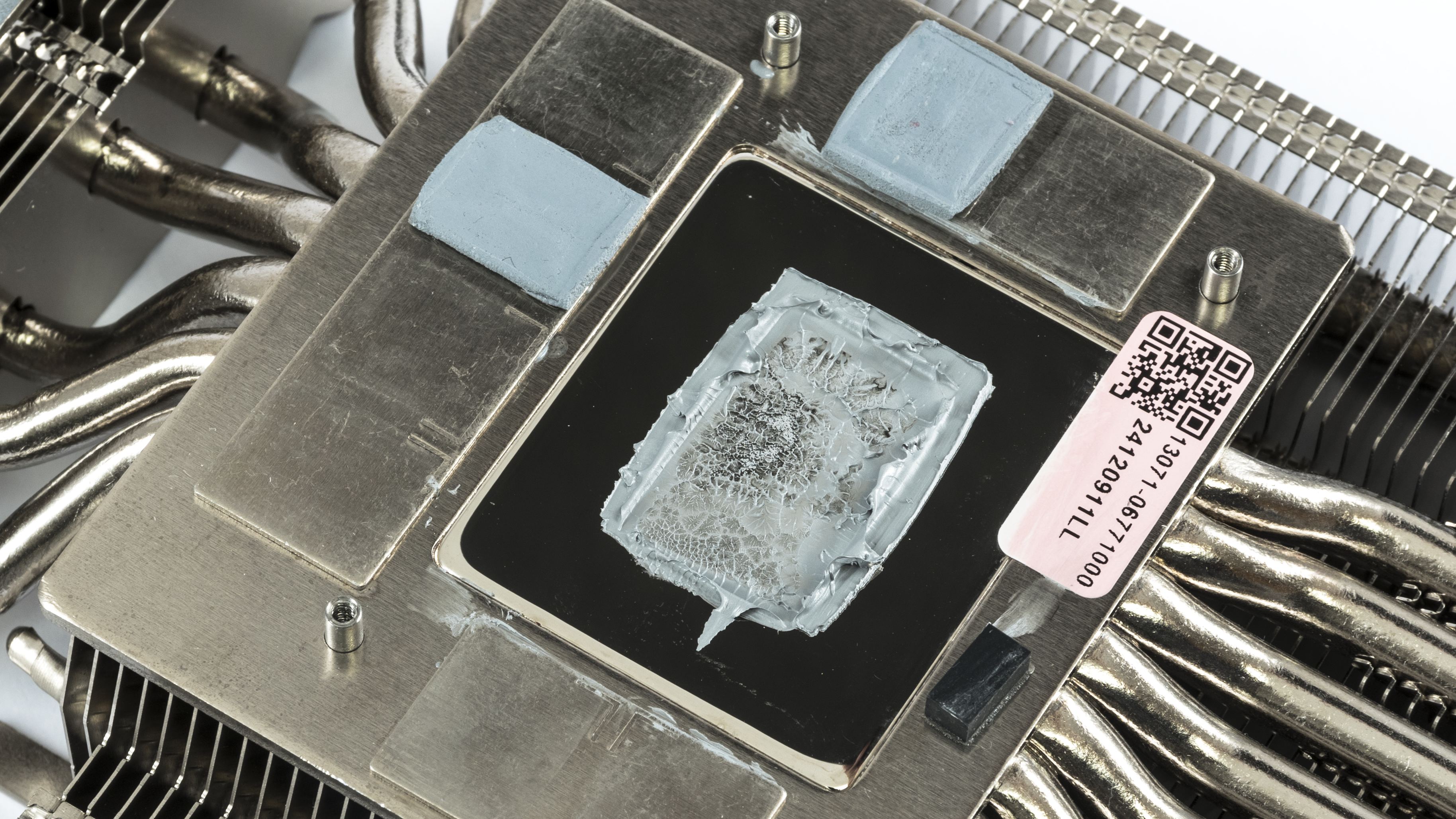
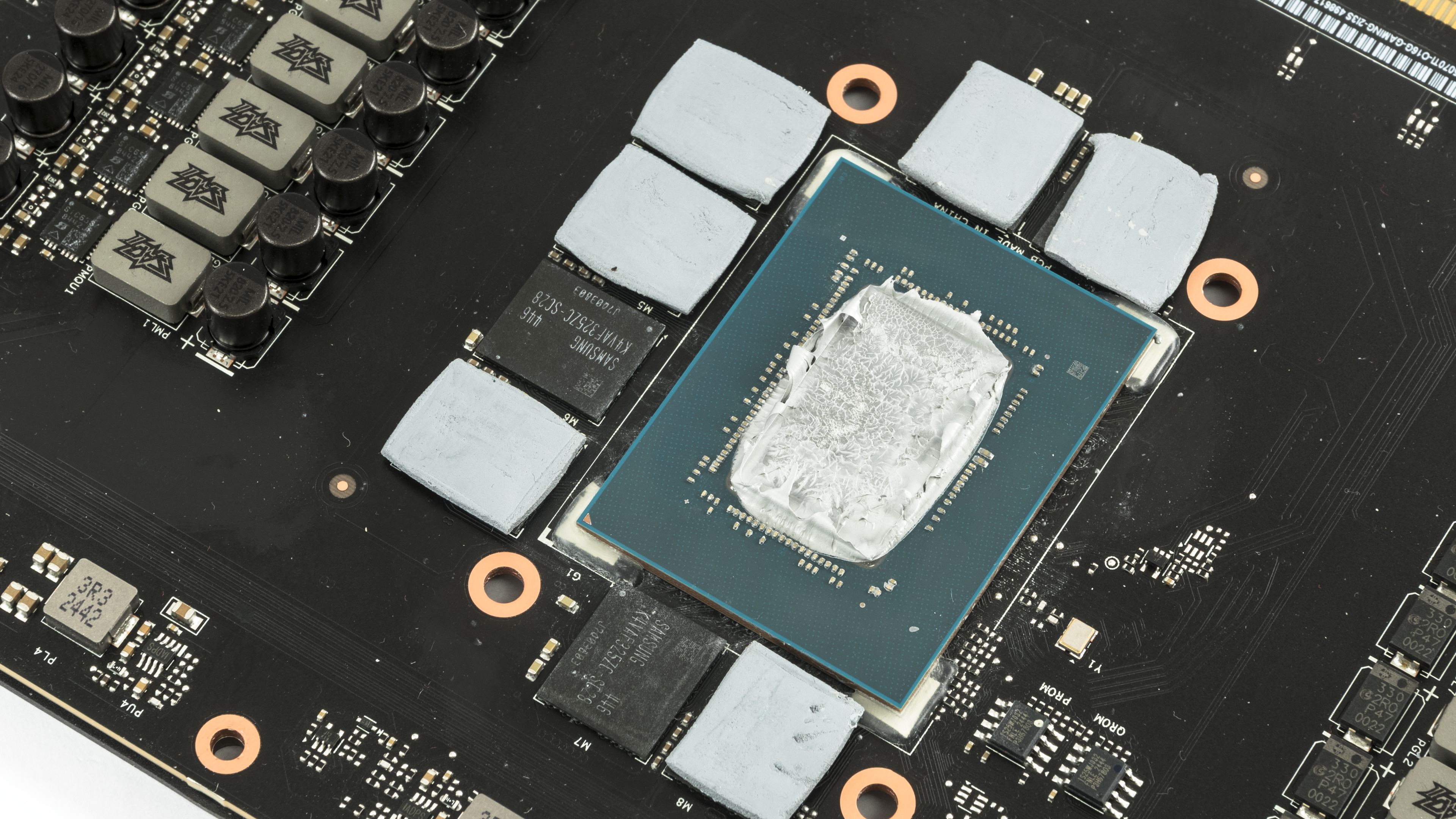
But something else caught my attention—it looks like even the MX4 is slightly drier in the same spot where the original paste had baked. Either there’s a surface irregularity causing less paste to be retained there, or that specific part of the chip runs significantly hotter under load. I don’t recall ever seeing anything like that on a GPU. Could that be why hotspot temperatures have disappeared from the monitoring data in the latest GeForce generation?
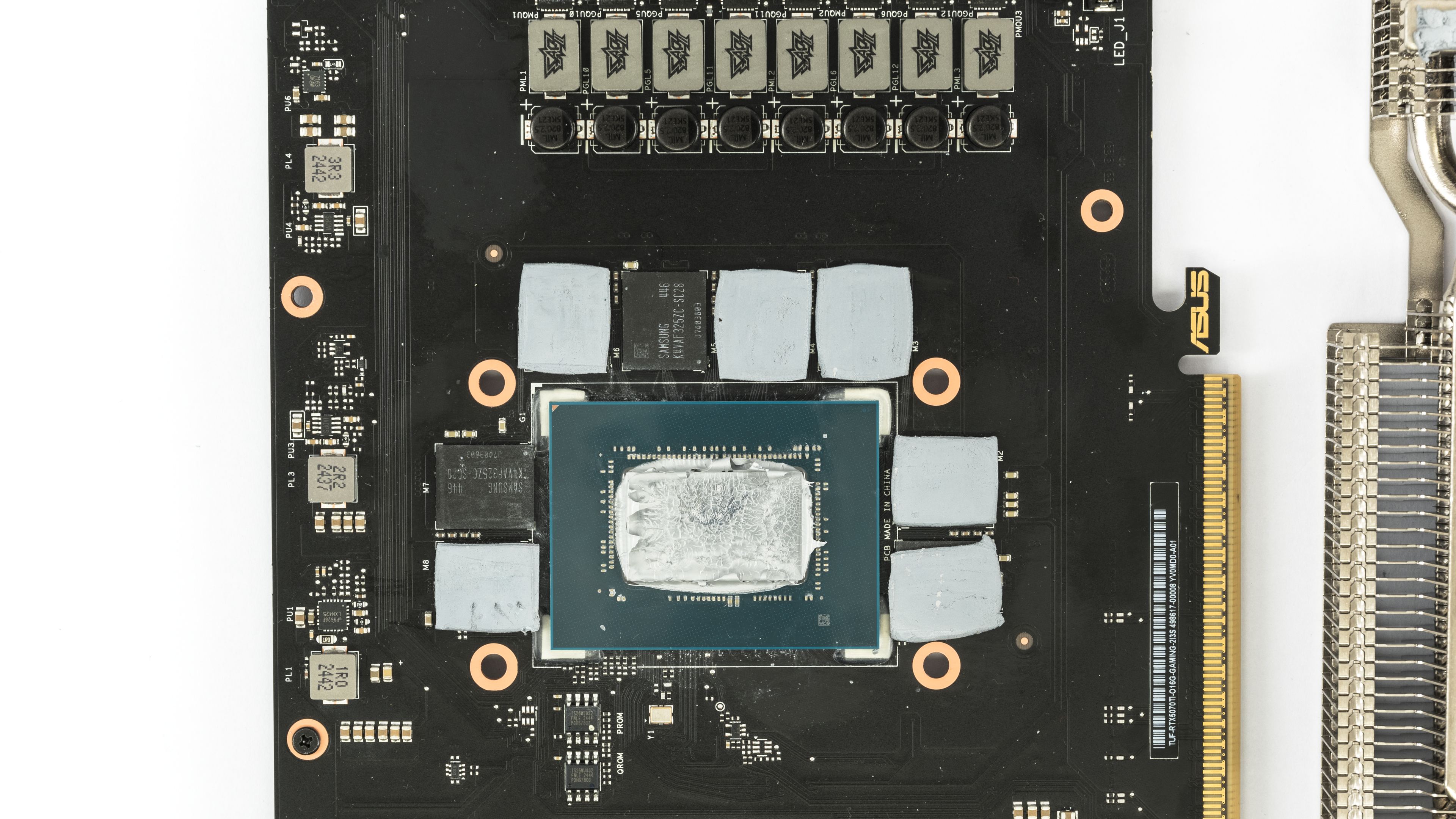
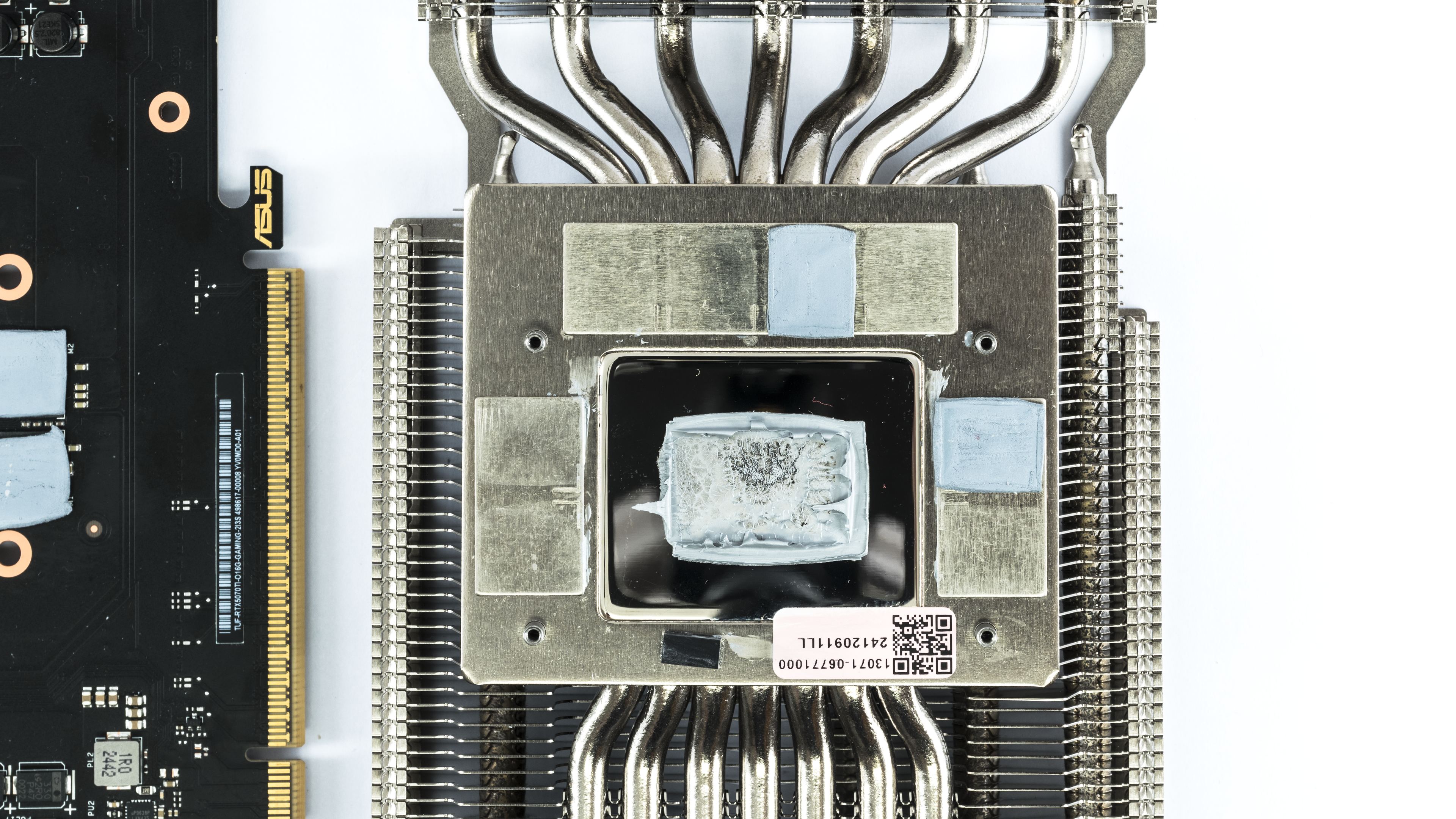
Still, I was fairly pleased with the outcome. It confirmed, at least with reputable manufacturers, that replacing the thermal paste really isn’t necessary anymore. That said—I tend to use Arctic’s more affordable pastes mainly because they usually bring me closer to the card’s original factory values. Since the card is already disassembled, I’ll be doing one more repasting. This time, I’d like to try a slightly higher-quality paste—Noctua NT-H2—applied in a thinner layer. We’ll see if the card survives, and whether it’s worth another round of measurements and a possible follow-up article.
As for disassembling cards in reviews—due to the reasons mentioned at the beginning, I’ll continue pointing readers toward other tests for detailed images of the cooler and PCB. I have no issue opening cards that someone else already disassembled, but I deliberately steer clear of testing them. For untouched cards, I consider it irresponsible to ruin a review sample—which are already scarce—just for a few flashy internal shots. I don’t even do that with the few cards that manufacturers loan us long-term for the test lab. I don’t want the results to be skewed just because the card has different thermal paste during retesting.
Disassembling cards does make sense if an electrical engineer takes it apart to analyze the PCB layout and circuit design—but you’ll only see that in maybe one out of ten teardowns. Most reviewers do it just to get three nondescript photos of the die, PCB, and heatsink—often in such poor quality that you can’t make out anything useful. I can’t help but feel it’s more about showing off—proving they can take it apart and put it back together, which makes one look more like an expert.
It’s not that we don’t *want* teardowns in reviews—but in our region, there aren’t many GPU reviewers and test samples to go around. For most of us who focus on GPU testing, it’s the lesser evil to point you to other reviews for disassembly shots than to risk having only the first tester produce valid results, and the rest of us reporting whatever someone happened to smear onto the chip.




Very interesting article. I believe more and more manufacturers have moved to using quality thermal interfaces, so your results (slightly worse than stock after repasting) isn’t that surprising.
Based on what I know, a popular material they use are phase-change thermal pads like the Honeywell PTM7950, which performs excellently on low mounting pressure/direct die applications, and are very resistant to the pump-out effect which causes deterioration of performance long-term. Regular thermal paste meant for CPUs can suffer from pump-out pretty quickly.
Didn’t Asus use phase change material? Why did your card have paste on it?
Sure. I received two units of the same graphics card for review. One had already been disassembled by a YouTuber, who replaced the original phase-change thermal pad with thermal paste. That card performed worse than expected—and worse than the unit that still had the original thermal pad—so I tried to fix it by reapplying thermal paste.
It is better now but still doesn’t match the other unit’s operating performance, but I’m not sure how much of that comes down to the silicon lottery.