


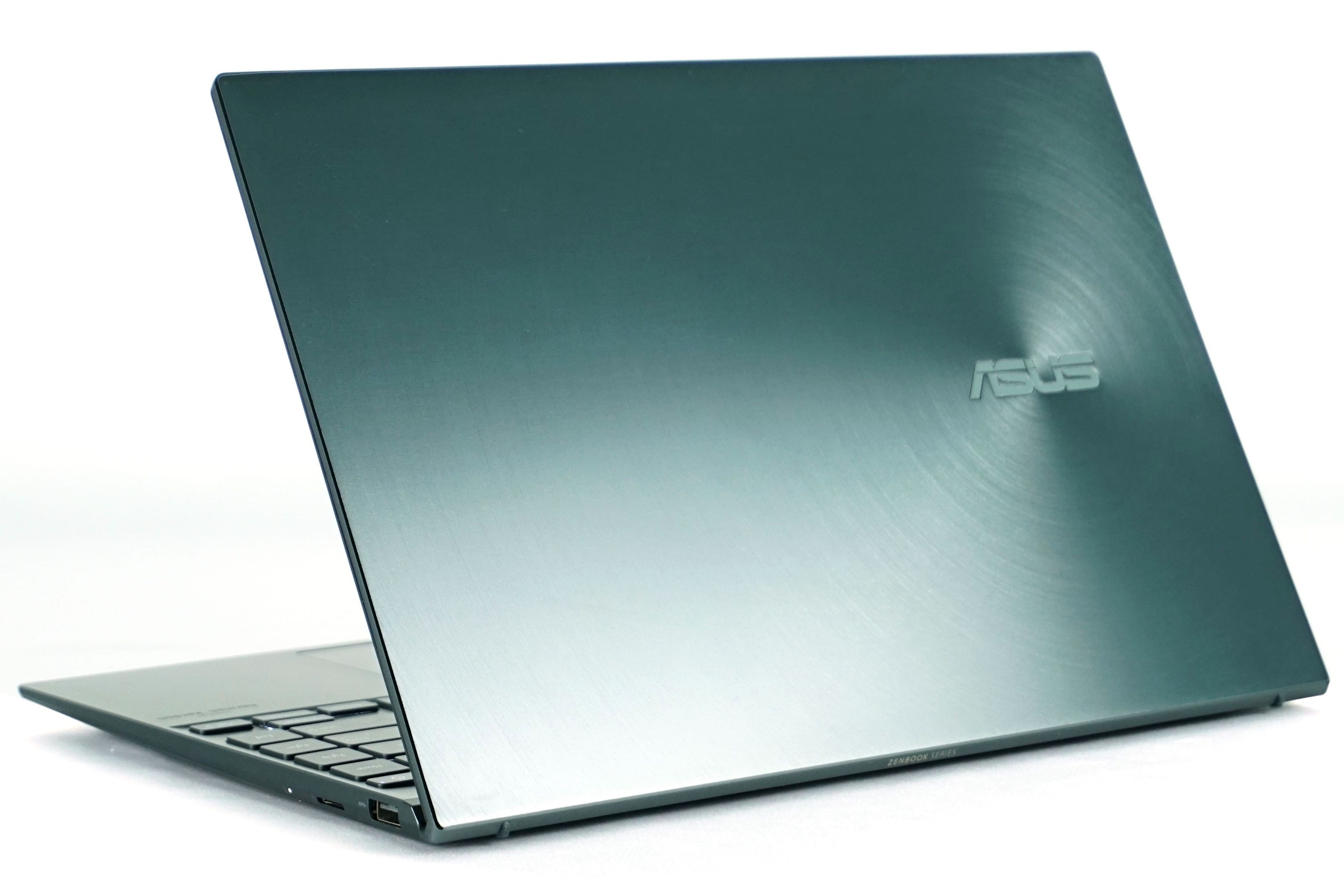
Intel brought the 11th generation of processors relatively quickly, which naturally means that most laptop manufacturers have updated their models. These include Asus, which in addition to the new Flip S also introduced a revamped ZenBook 13 and 14. We reviewed the last generation’s 14, now we will test the smaller 13-inch model. Expectations are high, as I considered the ZenBook 14 to be one of the best ultrabooks of the year.
Blender
Just as we started to monitor the course of clock speed, power draw and temperatures in Blender and 3DMark in gaming notebooks, we will also address these areas for non-gaming notebooks. In this case, we are mainly interested in the visualization of the performance course for individual performance modes and CPU load, but also the combined CPU + GPU load.
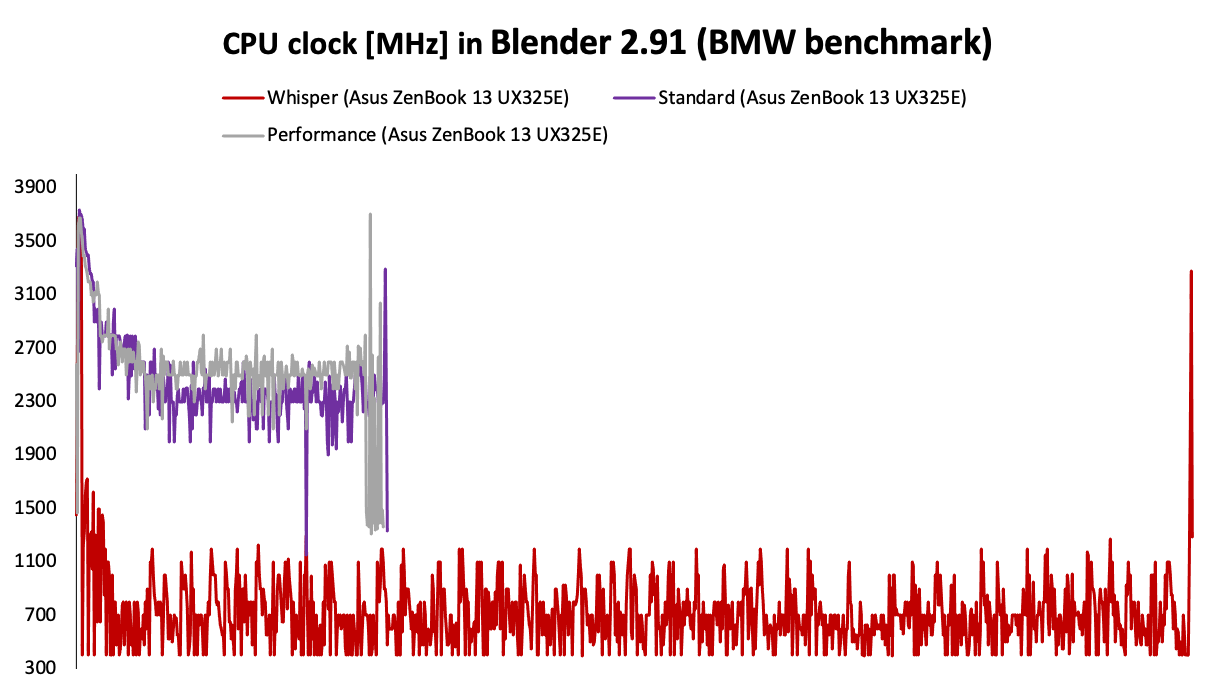
The Blender test is one of the long ones. It shows large differences between the clock speed of the individual modes. While the Performance is around 2.7 GHz and the Standard is slightly lower at 2.3 GHz, the Whisper is below 1 GHz with an average of around 600 MHz. We also see a big difference between the lengths of the test itself.
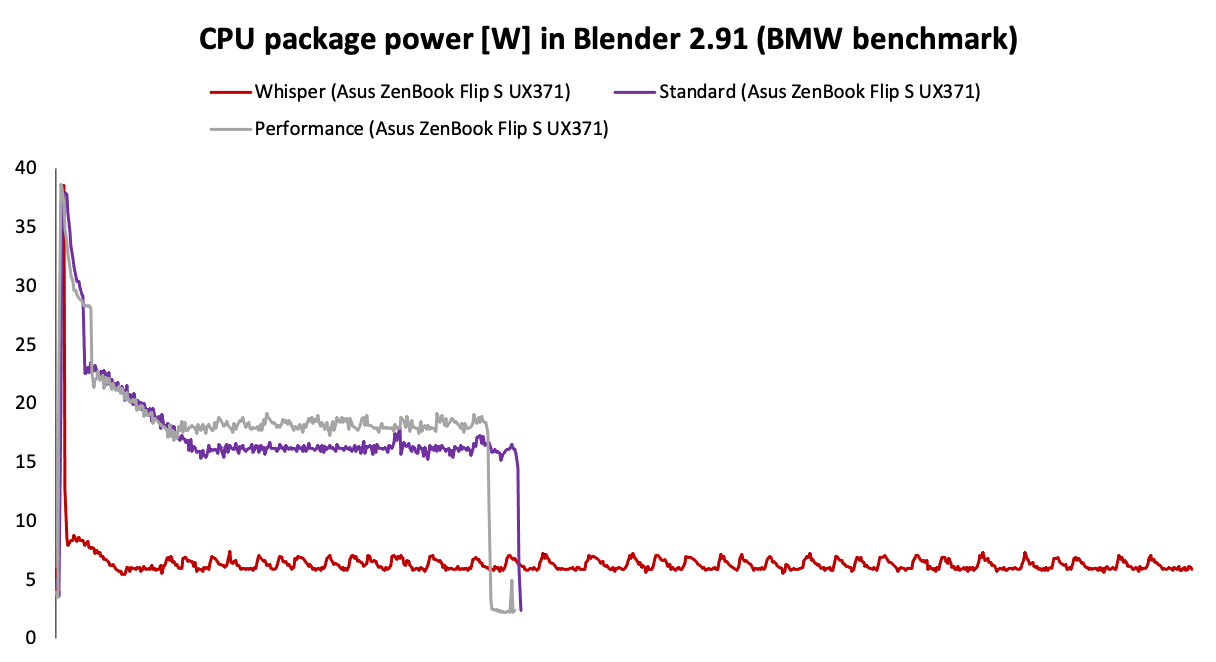
Power draw exactly copies the clock curve. Performance is around 18 W, Standard around 16 W, Whisper has only 6 W.
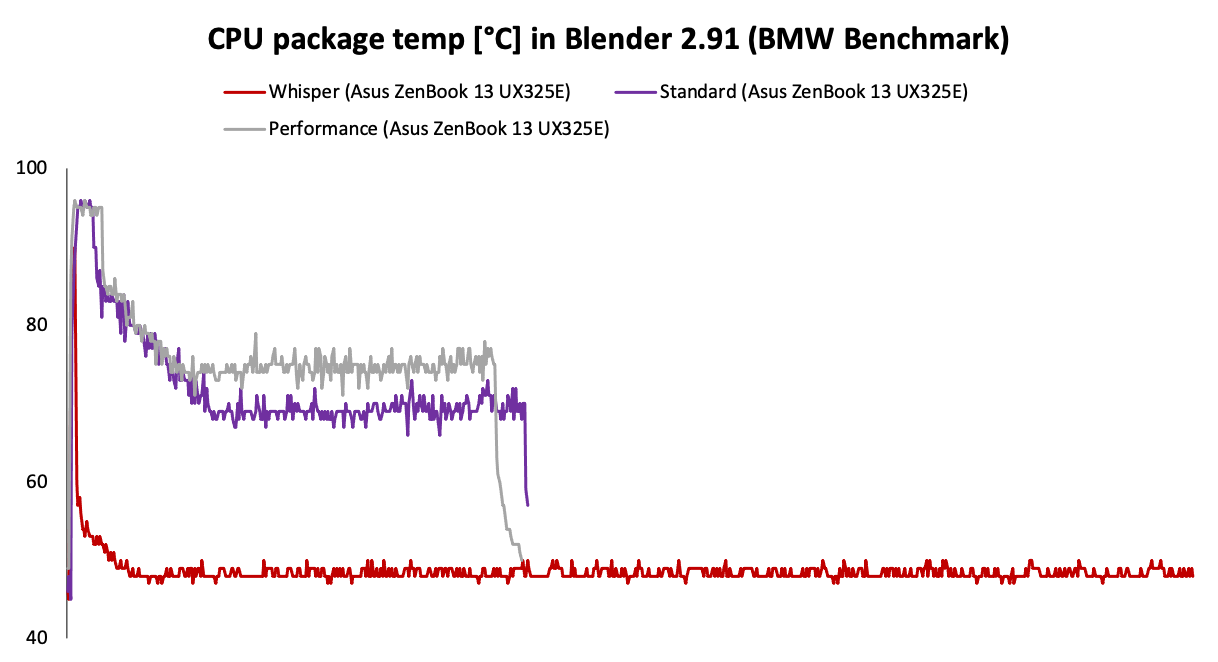
The temperature course during the test is again very similar to the clock and power draw, and after initial values of 90 degrees, it gradually decreases to 75 in Performance mode, Standard decreases to 70 and in the case of Whisper even below 50 degrees.
The difference in performance between Performance and Standard is only 6%, which was seen in similar performance curves. However, Whisper shows up to 4 times worse result than Performance, which is definitely not negligible.
3DMark
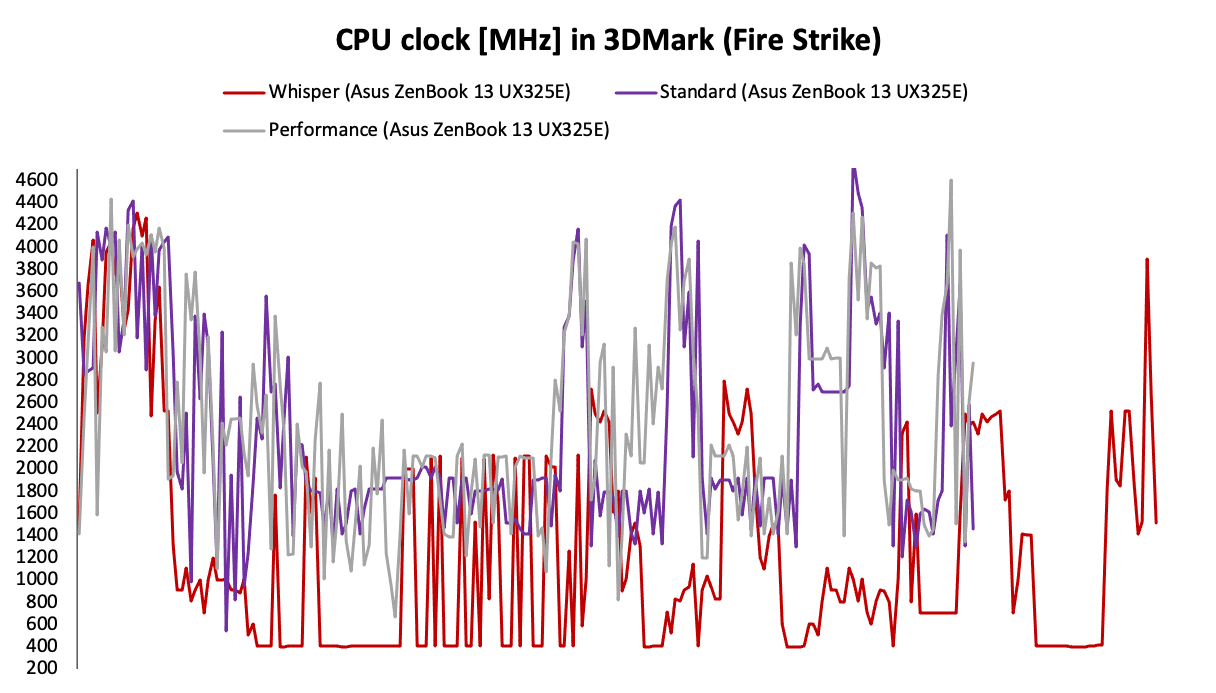
A similarly long stress test is the old familiar Fire Strike. The differences between the modes are also visible here. Both Performance and Standard have relatively the same curves, with the difference that Performance again has slightly higher clock speed in certain areas of the test. On the other hand, Whisper quite often sticks to the lower clock limit, which will definitely have a big impact on the overall score.
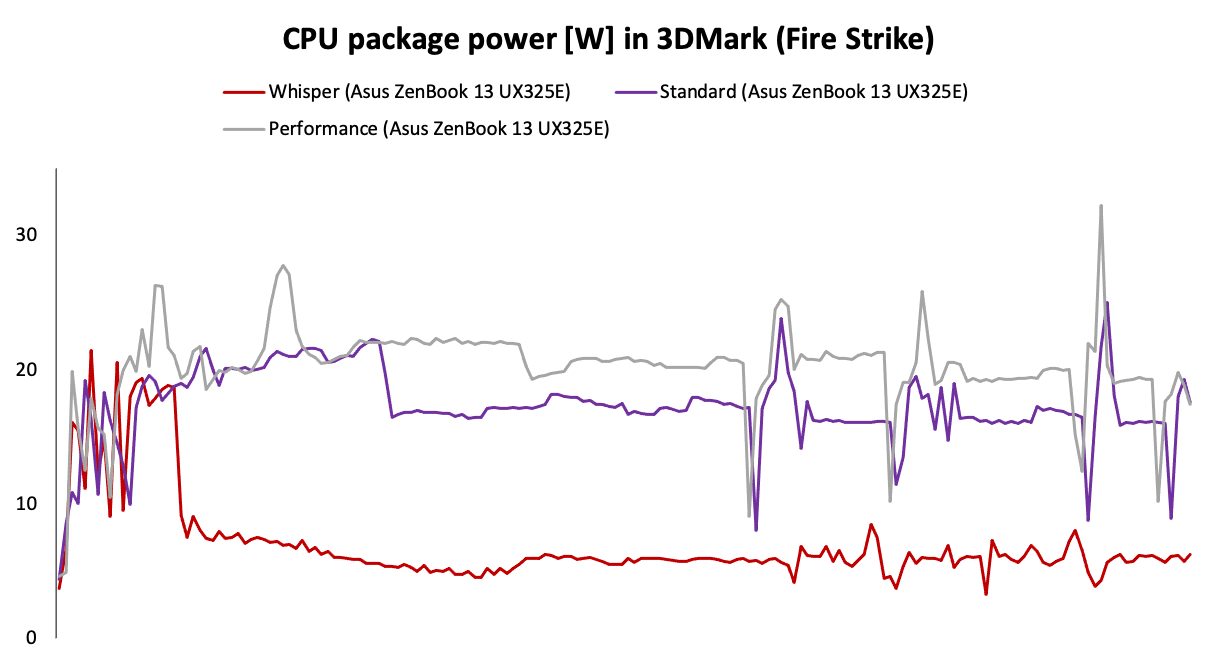
Power draw confirms the findings in the clock speed graph, namely the fact that Performance has in certain parts of the test about 3–4 W higher power draw and thus the clock itself. But the curves are more or less the same. This is not the case for Whisper, where we see significantly lower power draw across the entire test, only at the level of 7 W.
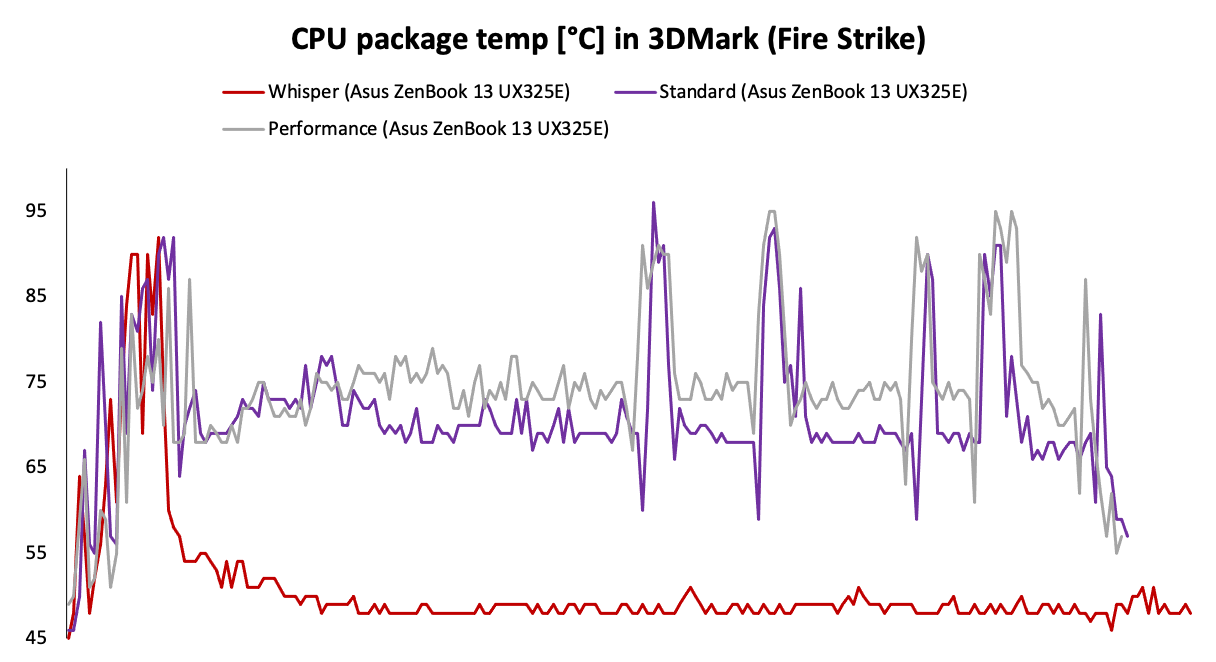
Given the differences in power draw and clock speed, it makes sense that Performance has a 3–4 degrees higher temperature, about 75 degrees Celsius. Whisper, on the other hand, is just fluctuating around 50.
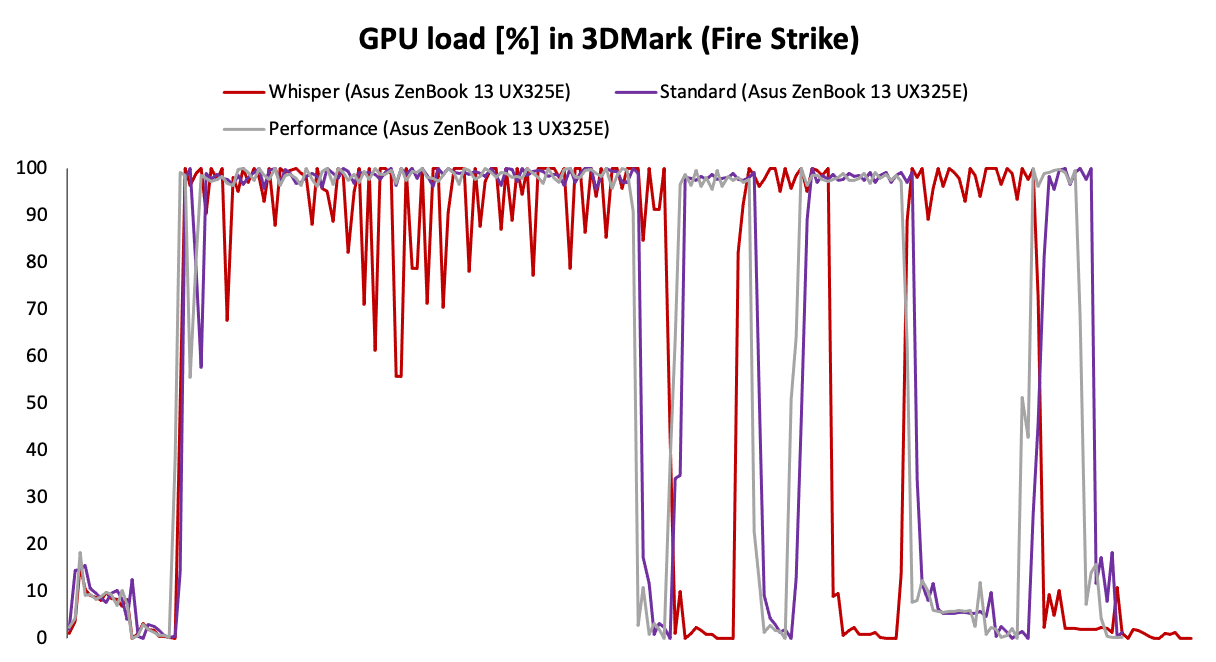
Perhaps for the first time, the GPU load in 3D scenes varies among the modes. Whisper shows measurable performance drops of up to 40%. We also see that this mode has shifted curves of individual parts of the test, as they lasted longer than the other two.
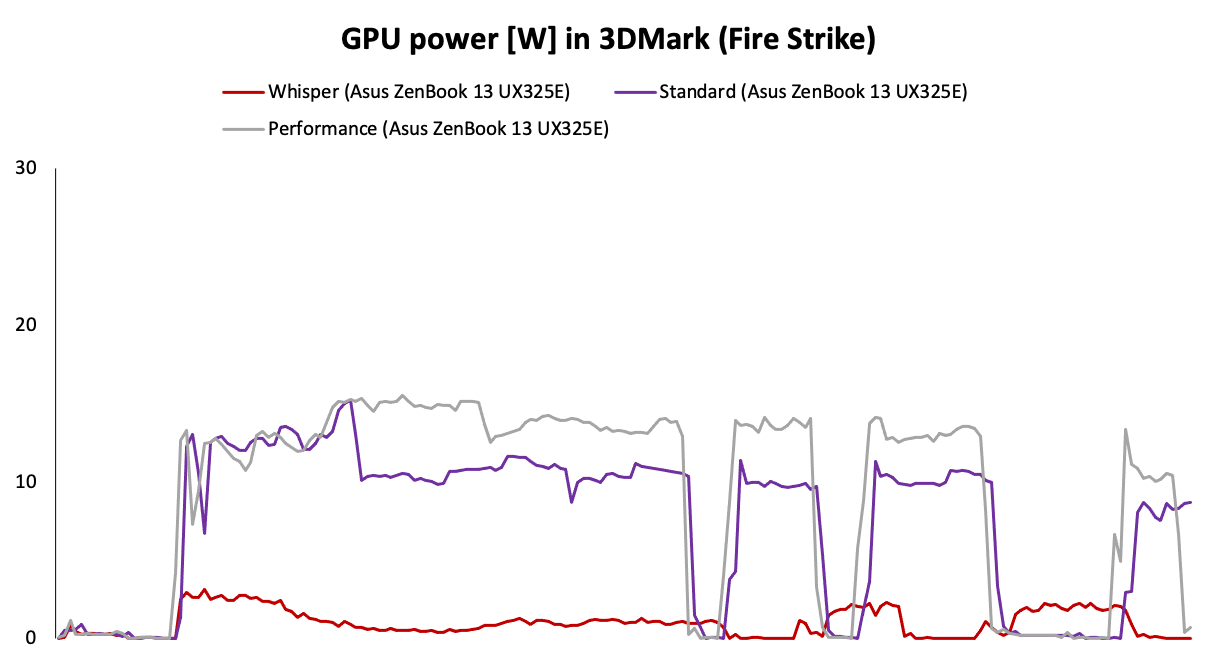
We also see noticeable differences in the GPU power draw in individual modes. The Performance again shows 2–3 W higher power draw than the Standard, which will certainly affect the performance. On the contrary, Whisper is doing kind of miserable, power draw is only kept at the level of 1–2 W.
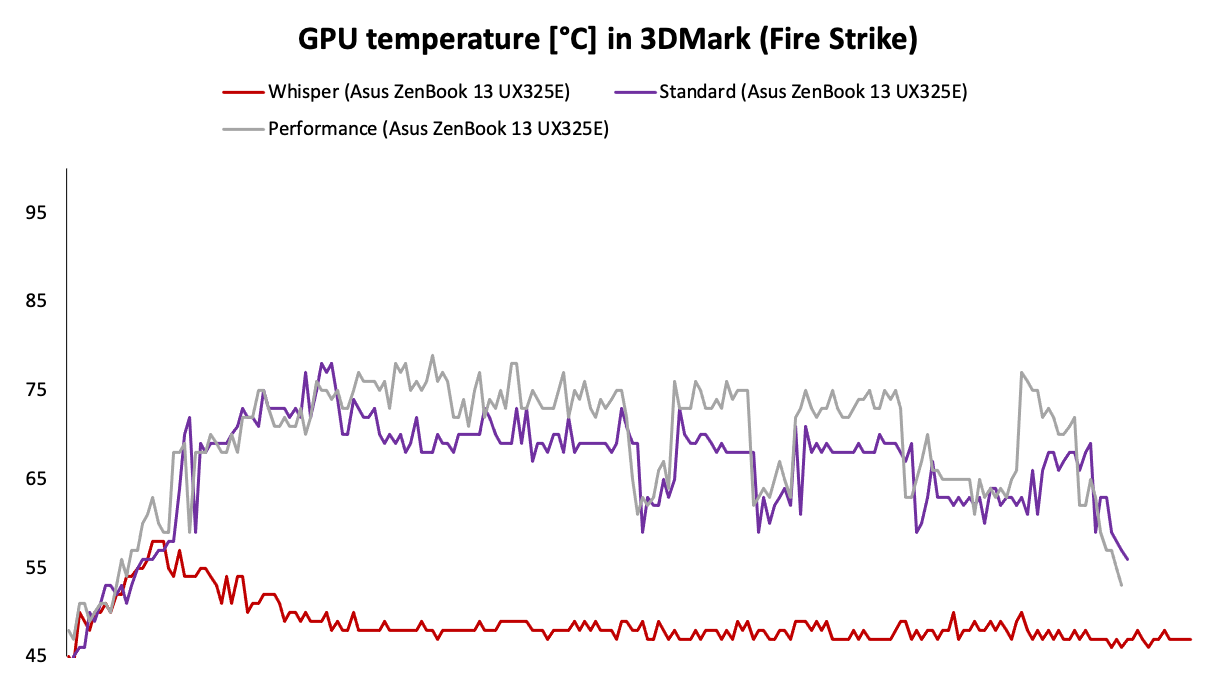
The temperature of the graphics chip is very similar to the temperature of the processor, as it is an integrated part. The measured values are only slightly lower.
The difference in the total score between Standard and Performance is bigger than with Blender, i.e. 11%. Also, the Whisper lags even further behind and is up to 4.8–5.4 times slower compared to the other two modes.
Summary
Graph analysis and test results suggest that for the vast majority of users, the Standard mode will be suitable and switching to Performance is important only when playing games, in case of demanding work such as video editing, etc. Just 6 and 11% difference is more or less negligible in practice and you will only notice the difference in specific scenarios. On the contrary, Whisper significantly affects the performance, up to 4–5 times, it will therefore really only be suitable for critical situations where you need the longest possible battery life.





