


The impeller is oriented so that, in the installed position, nothing visually obstructs the view. This refers to the stator struts, which can otherwise “spoil” the overall appearance. But this is not just about looks—it is about combining aesthetics with the efficient geometry of the proven five-blade design with a stabilizing ring (familiar from the P12 A-RGB fans).
Base 6 equal noise levels…
There are several options by which to normalize the test modes for fans. In the previous chapter, we wrote that perhaps the least appropriate option is equal speed.
Settings according to the same static pressure or flow are for consideration, but we find it most sensible in the long term to normalize the measurement modes according to the same noise levels. Firstly because decibels are a logarithmic unit and all others scale linearly, but mainly because you can orientate fastest by the same noise levels. The easiest way to compare the efficiency of fans is just by how they perform at the same sound pressure level. Of all the options, this is the one that most people can best imagine and bounce off of when considering other variables.
The individual noise level modes are adjusted from low levels continuously to higher levels. All users will find their results in the tests, regardless of whether they prefer very quiet operation at the limit of audibility or whether high performance is paramount.
The quietest mode corresponds to 31 dBA, followed by 33 dBA, and for each additional mode we add 3 dBA, which always doubles the noise level (36, 39, 42 and 45 dBA). Finally, we measure the fans at maximum power. Here, each one already has a slightly different noise level, which we also report. If there are missing measurements between the results for any of the fans, this means that it was not possible to set the target noise level. Either because its minimum speed exceeds the quietest mode of 31 dBA or vice versa because the fan is quieter than 45 dBA at maximum power.
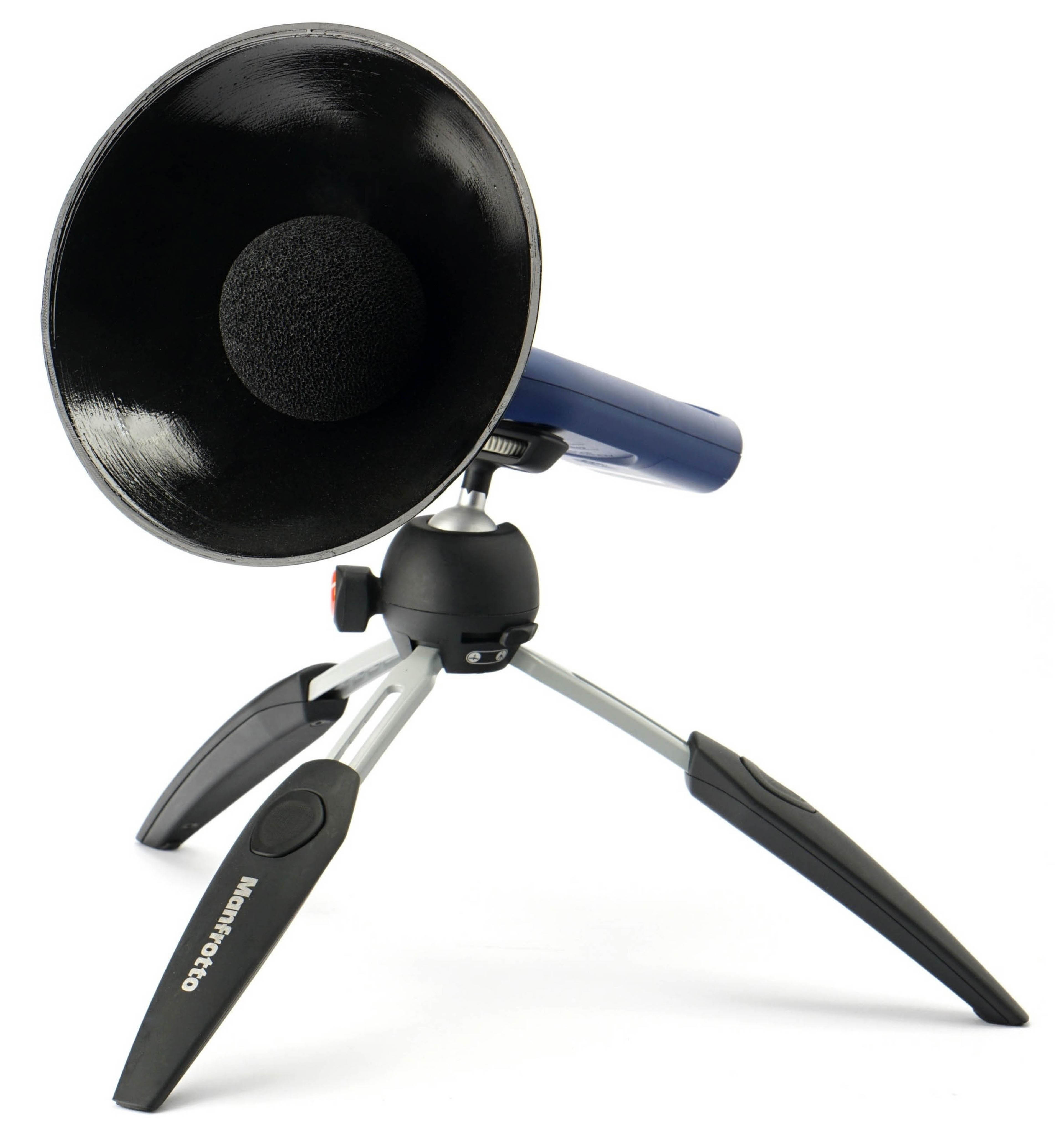
It is important to add that our noise level measurements are incomparable to the values quoted by the fan manufacturers in their specifications. One of the reasons is because we use a parabola-shaped collar around the sensor of the noise meter, which increases sensitivity. This is important in order to distinguish and set to the same noise level even modes at very low speeds, especially 31 dBA.
The noise meter next to the fan is quite close for sufficient resolution. The distance between the frame and the sensor is 15 centimeters. The sensor is positioned in such a way that there is no distortion or that the noise level measurements are not affected by airflow. Therefore, the noise meter is centered perpendicularly to the frame that defines the depth of the fan. Everything is always at the same angle and at the same distance. We use an inclinometer and markers to set the distances precisely and always the same.

We use a Reed R8080 noise meter to measure noise levels. This allows real-time averaging of samples, which is important for fine-tuning individual modes. We tune the fans until the specified noise level is reached to two decimal places, for example 31.50 dBA. The noise meter is the only instrument we calibrate inside our testlab. The other instruments have been calibrated by the relevant technical institutes. However, in the case of the noise meter, calibration is required before each test and we therefore have our own calibrator. This is already calibrated externally according to the standard.



Hmm, the 100th fan in the database—counting 140 mm models as well. On Thursday, we’ll do a kind of recap or summary, where all fans tested so far will appear together in the charts. 🙂
After reading the methodology section I’m still uncertain about when the tests were performed with the obstacles infront or behind the fan. Could you please clarify that?
Scenario by scenario, it varies. The radiators (both thinner and thicker ones) are behind the fans, as they are more commonly used in practice, while the dust filters (both nylon and plastic) are in front of them, i.e. in front of the impeller. That also makes more sense.
There is also a hexagonal grille in front of the fan, on the intake side, although in PC cases (for example, on the exhaust) it is often located behind it. We chose this placement because having it behind the impeller doesn’t change the acoustic profile very much, whereas with the opposite orientation, the difference can sometimes be quite significant, especially when it comes to tonal peaks. 🙂
Thanks for the clarification!
Your setup is what I was hoping for, for the reasons you already stated yourself. And just to make sure I’m not misunderstanding a fine detail: Whether **reverse blade fan or regular fan**, your dust filter test setup (both nylon an plastic) will always reflect typical real world usage, i.e. air will be “pulled” through the filter instead of being “pushed” through it. Right? Thanks in advance!
Yes, the dust filters are always on the intake side of the fans. 🙂
For the most accurate comparison possible, reverse fans are also positioned in the same relationship to the anemometer (in pull). That’s a more complicated discussion, but this is always the case regardless of the fan. If we did it the opposite way, in push, the area where we measure the wind/air speed—which is subsequently used to calculate the airflow in cubic units—would be too turbulent, and the results would therefore be distorted. 🙂